


Share a Company Card Connection Across Workspaces
Share a Company Card Connection Across Workspaces
Sharing a company card connection lets you reuse an existing card connection in another workspace instead of creating a new one. This keeps card management centralized and prevents duplicate connections.
You can share both direct company card connections and commercial card feeds across multiple workspaces.
If you haven’t set up a company card connection yet, learn how to connect to your bank:
- Learn how to set up a direct connection for company cards.
- Learn how to set up a commercial feed for company cards.
Who can share a company card connection across workspaces
To share a company card connection, you must:
- Have an email address on a private domain.
- Be a workspace admin or card admin for two or more workspaces on the Collect or Control plan.
- Have an existing company card connection on at least one of those workspaces.
- Have Company cards enabled on the workspace receiving the shared connection.
Note: Workspaces on the Collect plan are limited to one company card connection. Learn about the different plan types available in Expensify.
How to share a company card connection across workspaces
- In the navigation tabs (on the left on web, on the bottom on mobile), go to Workspaces.
- Select the workspace you want to add the connection to.
- Select Company cards.
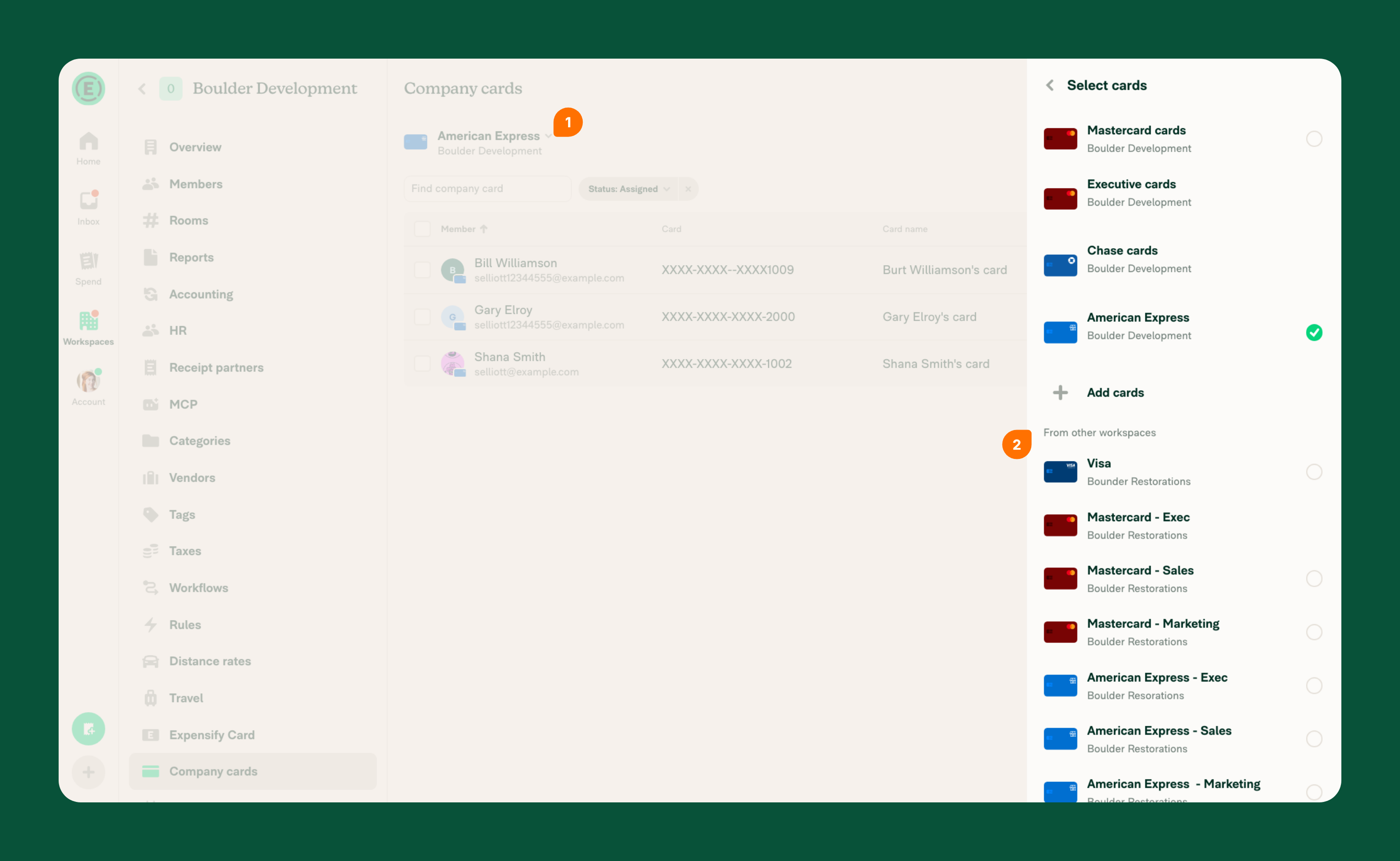
- Select Add cards to set up your first connection.
- If you don’t see Add cards, select your existing company card connection.
- Under From other workspaces, choose a company card connection, then select Save to add it to the workspace.
What happens after you share a company card connection across workspaces
- Individual cards appear as a list and can be assigned to workspace members.
- After a card is assigned, posted transactions import into the assigned member’s account automatically as expenses.
- If the card is connected through Plaid, pending transactions also import and are marked as pending until they post. Learn which connections import pending transactions.
Learn how to assign company cards.
FAQ
What happens when you remove a shared company card connection?
Removing a company card connection from a workspace disconnects that workspace and removes its members from the connection. The connection itself is only deleted if it is no longer connected to any workspaces.
Why don’t I see the “From other workspaces” section?
This can happen if:
- There are no existing company card connections available to share.
- Your email is not on a private domain.
Does sharing a company card connection duplicate transactions?
No. Sharing a connection does not duplicate transactions. Transactions are tied to the assigned card and only appear for the member the card is assigned to.


