


Personal Cards
Manage personal cards in New Expensify
Expensify lets you view and manage your personal credit cards in one place, making it easier to track spending, submit reimbursable expenses, and stay organized for tax time.
If you previously connected a personal card in Expensify Classic, you can now manage that card directly in Expensify on both web and mobile.
Who can manage personal cards
You can manage personal cards if you have a personal credit card that was already connected to your account. You can manage these cards on both web and mobile, alongside any company cards on your account.
Where to find personal cards in the Wallet
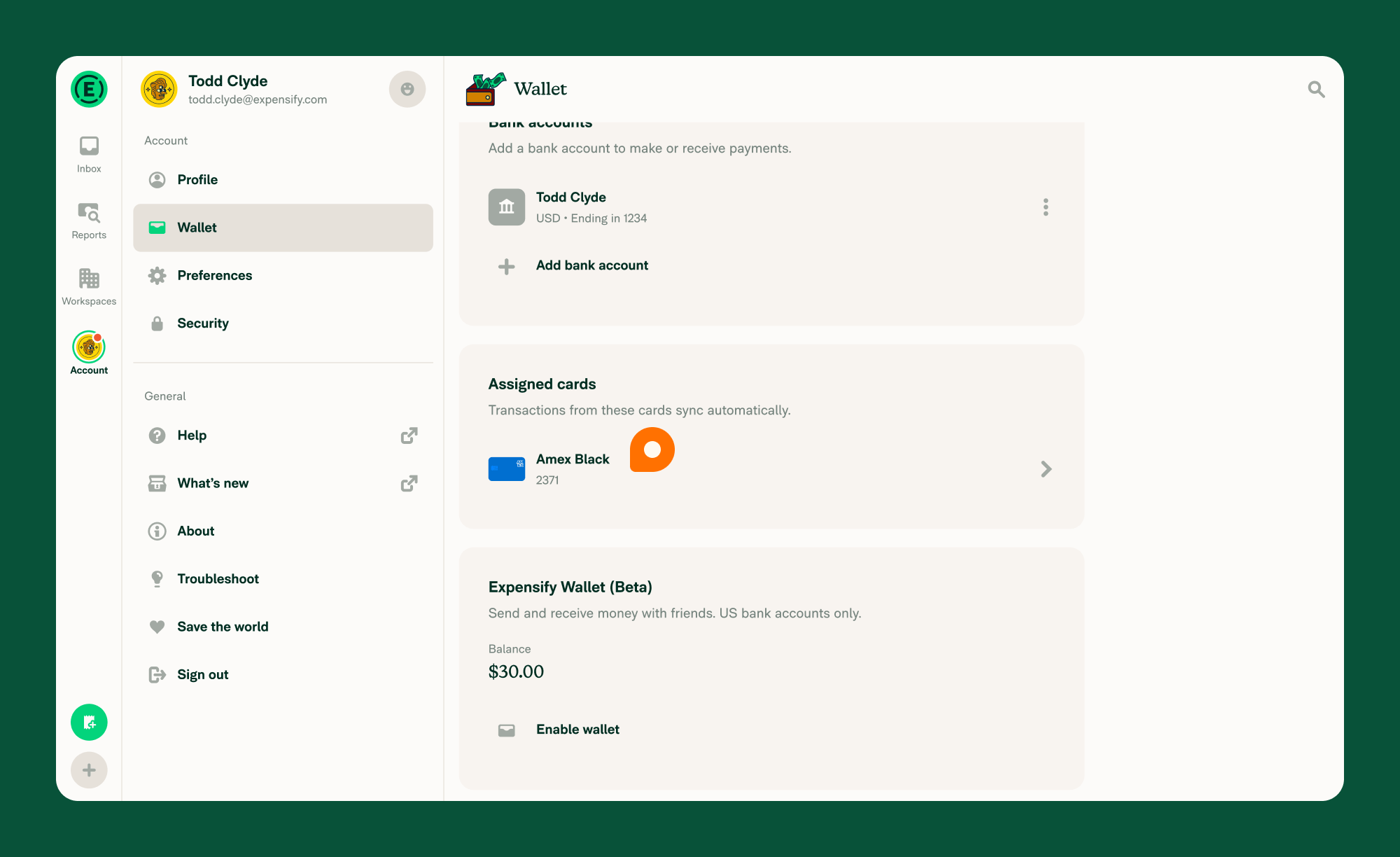
- Navigate to Account > Wallet on web or mobile.
- Under Assigned cards:
- Personal cards imported from Expensify Classic will appear here.
- You’ll see the card name, bank icon, and last 4 digits.
- Tap the personal card you want to manage.
If you have both company and personal cards, you’ll see them separated into Company cards and Personal cards sections.
What you can do with personal cards
You can:
- View all personal cards imported from Expensify Classic
- Automatically import transactions from your linked personal cards
- Generate IRS-compliant eReceipts for eligible USD purchases
- Update personal card settings
- Filter expenses by card in the Expenses tab on the Reports page
How to update personal card settings
- Navigate to Account > Wallet on web or mobile.
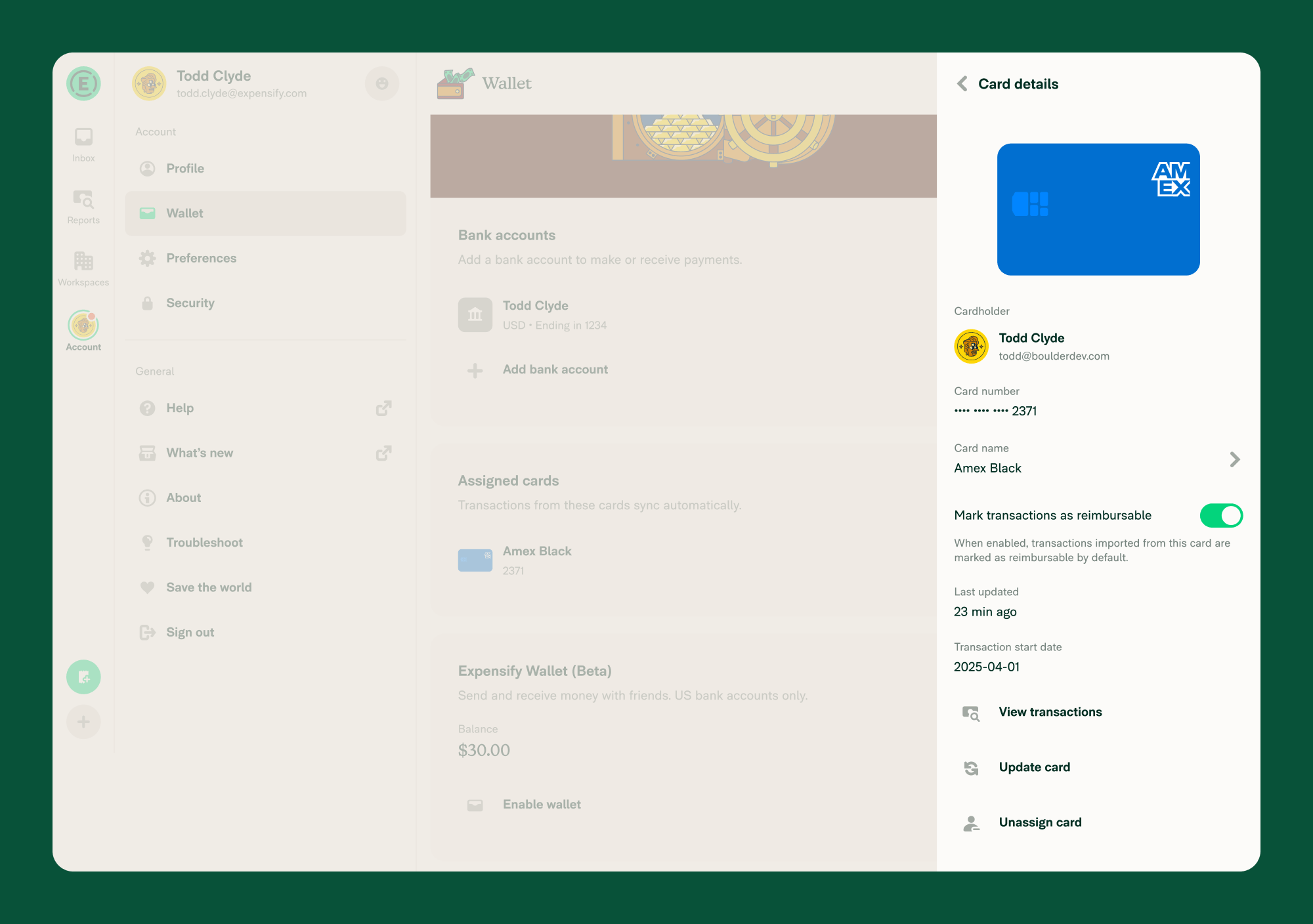
- Under Assigned cards, select a personal card.
- On the Card details page, you can:
- Rename the card
- Update the card to pull in new transactions (if not CSV-imported)
- Unassign the card if it’s no longer needed
- Toggle Mark transactions as reimbursable
- The reimbursable setting applies only to new transactions and is turned on by default.
Note: Unassigning a personal card permanently deletes any unreported expenses or expenses on draft reports from that card.
FAQ
Can I add another personal card?
Not yet. Only cards connected to your account in Expensify Classic are available to manage in New Expensify. Support for adding new personal cards will be available in a future update.
Can I change the reimbursable setting for past transactions?
No. Changes to the reimbursable setting only apply to transactions imported after the change.
Why don’t I see my personal card in the Wallet?
Personal cards appear in the Wallet only if they were previously connected to your account in Expensify Classic. If your card doesn’t show up, it means it wasn’t connected before and isn’t available to manage yet.


